"Meet LUKE" Step by Step Instructions for on-street parking:
LUKE is our new multi-space parking pay station. You’ll see 70 LUKE pay stations in downtown Cedar Rapids and each LUKE will replace 6-8 regular, coin-only meters. There will be about one LUKE pay station per block face and LUKE offers a range of payment options including credit cards, debit cards and coins. All of the new meters, named "LUKE" by the manufacturer Digital Payment Technologies, are completely powered by solar panels that recharge an internal battery, ensuring a reliable and sustainable system.
Step 1: Look for Your Space Number
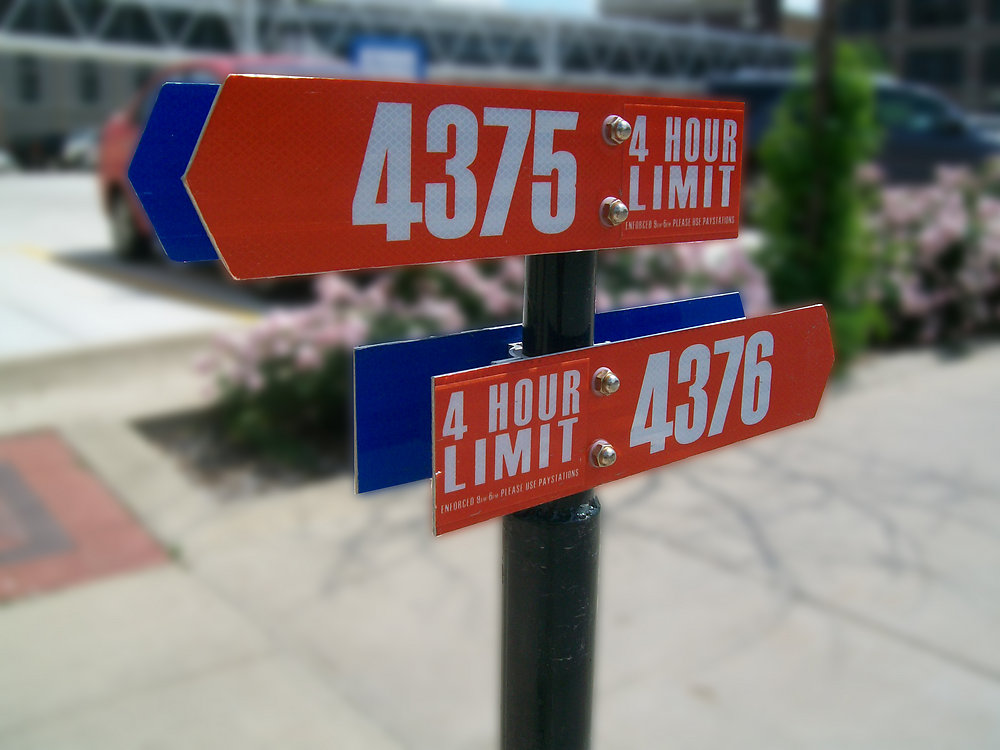
If your space has a number like this, please make note of your space number. You should also note the length of stay allowed at the meter (For example: 30 minutes, 1 hour, 2 hours).
Also important to note: blue space signs indicate handicapped-accessible parking only.
Step 2: Enter Your Space Number
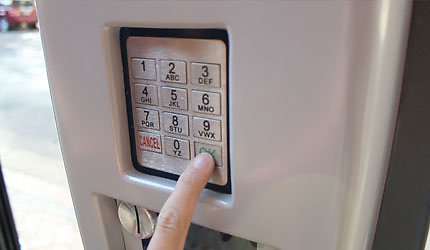
After certain periods of inactivity you may need to wake up the machine. This is to conserve energy. To do this, press any button on the keypad. The next screen will ask you to enter the space number that was listed on the signage by the parking space.
Step 3: "Purchase Ticket" or "Add More Time"
You will then be given two options: 1) Purchase Ticket or 2) Add More Time. If you are initially purchasing time for your space, press 1; if you would like to add more time to a space you are already paying for, press 2.
Step 4: Insert Payment
If provided with a coupon code from a business or employer, select the appropriate option with the desired length of time. If you are not using a validation coupon code, press 1 for cash/credit. Here you may use coins, debit or credit card to purchase time.
If you’re using the coin payment option, just add coins until the desired time is reached. If you are using a credit or debit card, insert the card and remove quickly. Then press 1 to add time or choose the maximum time allowed. Once the desired time has been reached, hit OK to finalize the transaction.
Passport Parking App: Another feature is the ability to pay by phone using a smart phone. For information on setting up the Passport Parking App, visit: https://www.passportparking.com/
Step 5: Optional Receipt is available
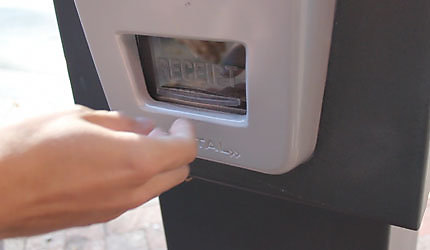
When the transaction is complete, you will be asked if you’d like a receipt. If you would like a receipt for personal or business records choose “OK." If you do not need a receipt choose “cancel.” After you have chosen, your transaction will be complete. If by accident you press cancel, you can notify our office and a receipt can be printed for you.
*Adding More Time
If you would like to add more time to your stay, you can use any LUKE pay station throughout downtown as long as you are within your allowed length of stay and your original amount of time has not expired. All you need is your original space number to enter at the LUKE meter to add more time.